
Domains
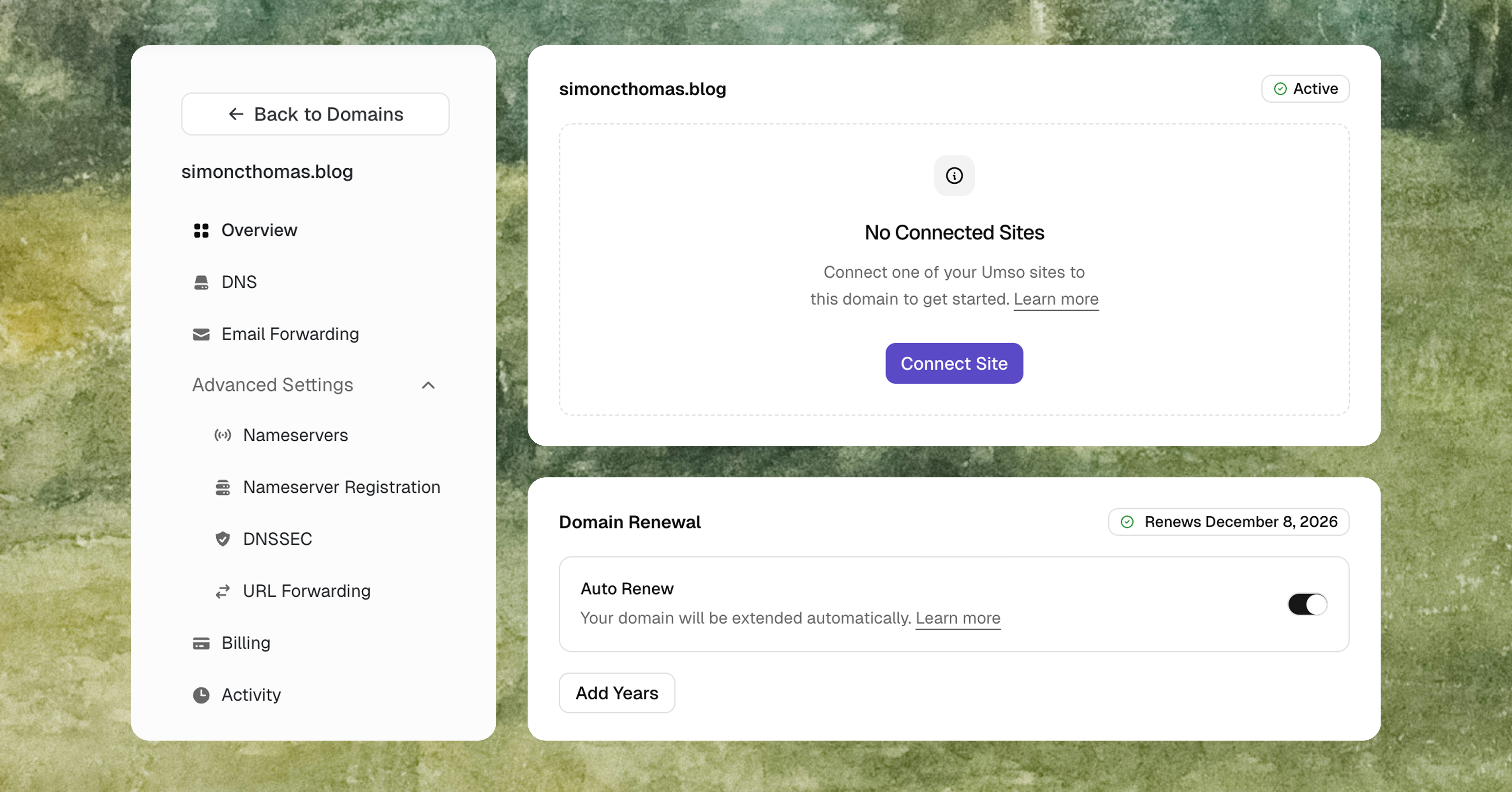
You've been able to connect custom domains to your Umso sites for a while, and now you finally get full control over your domain settings directly from your dashboard!
Our new domain manager allows you to:
-
Register new domains without leaving Umso
-
Connect your site to your domain
-
Configure DNS settings with an intuitive editor for A records, CNAMEs, MX records, and more
-
Transfer domains in or out with a guided, step-by-step process
-
Get a quick overview of every domain's status, expiration date, and configuration
You can check out our help articles for more details and find the domain feature on Umso here.
Editor Improvements
We’ve made several improvements to make it easier to edit your sites! That means fewer clicks to edit buttons, less menu overlap, fewer bugs, and more options to resize images.
AI Translation Manager
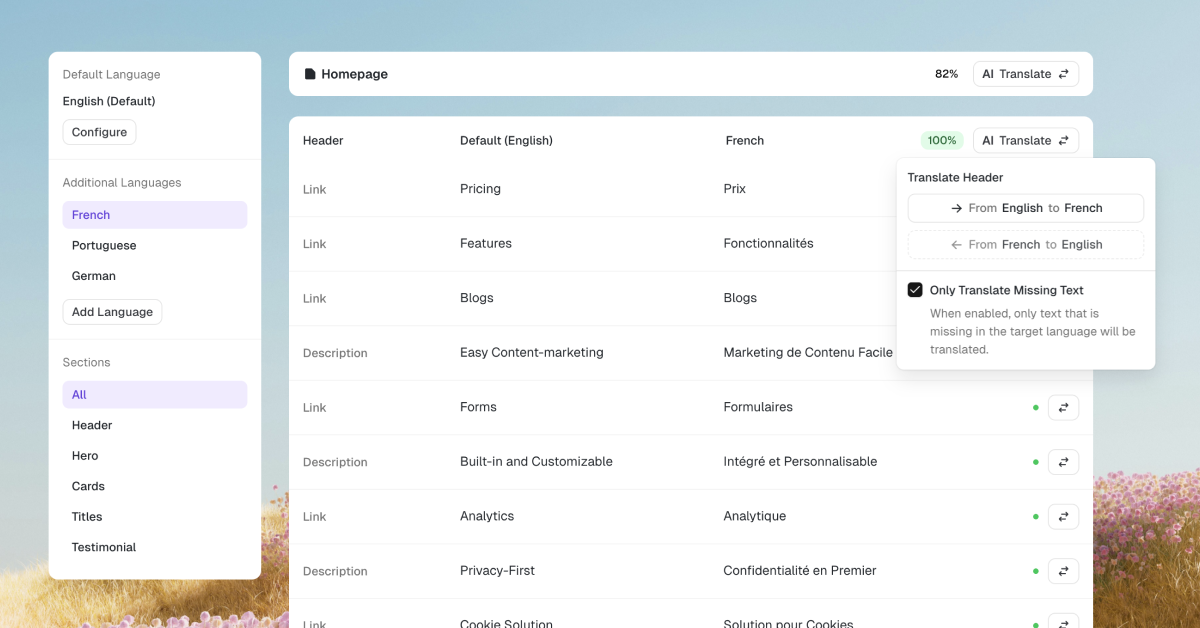
You’ve been able to translate your Umso sites for a long time and now you can finally get a good overview of your translations, and automatically translate entire pages with AI!
Our new translation manager allows you to:
-
Manage Languages
-
Automatically translate individual texts, sections, or entire pages at once
-
Use intelligent AI translation which keeps formatting across languages
-
Get a quick overview over what needs to be translated
Make Integration
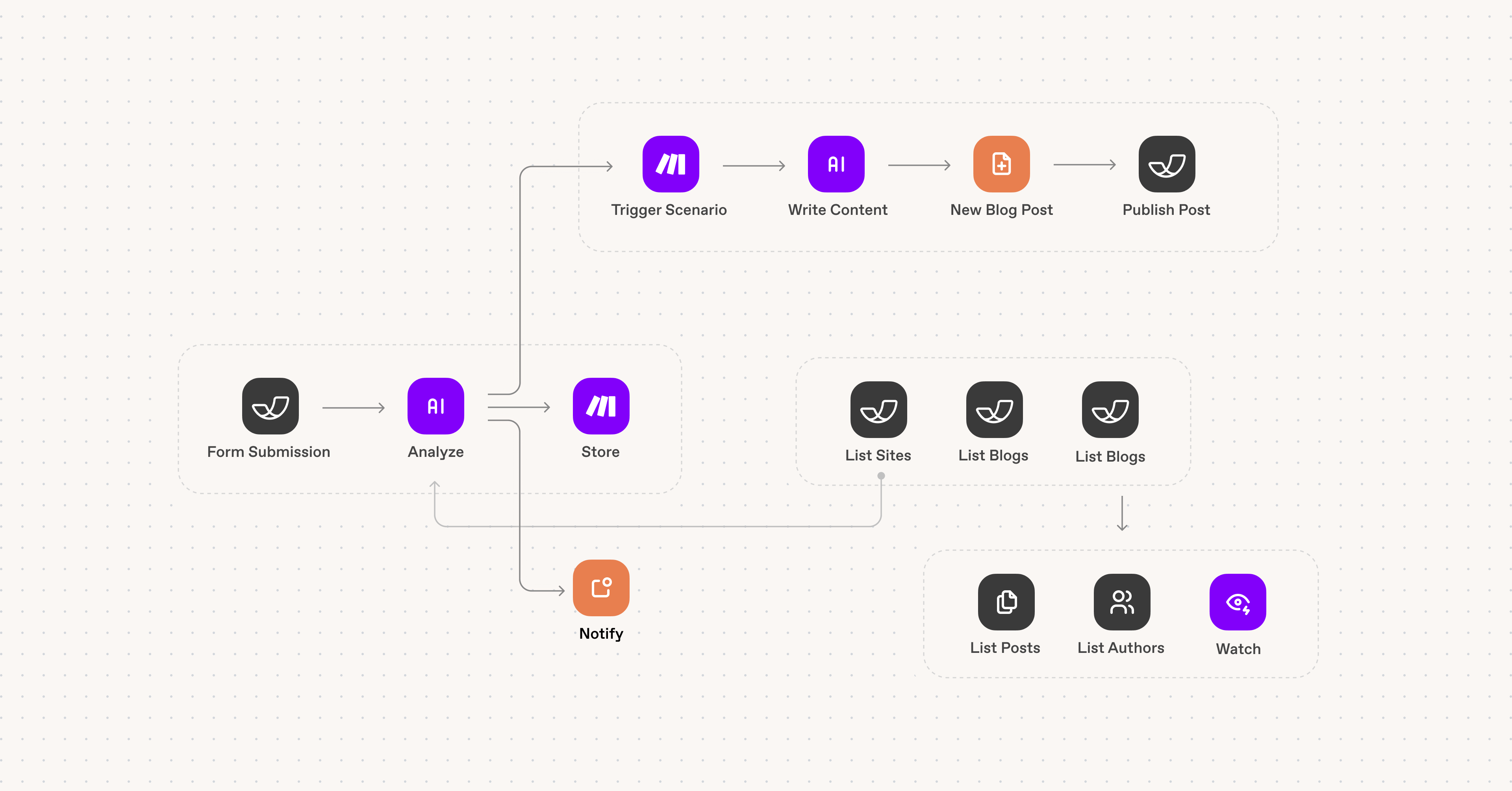
We're excited to announce our integration with Make.com, giving you powerful automation capabilities for your Umso websites!
What's NewConnect Umso to Make.com and automate your workflows without writing any code. With 16 modules available, you can now:
-
Automate blog publishing - Create and publish blog posts automatically using AI or content from other tools
-
Process form submissions instantly - Trigger actions the moment someone submits a form on your site
-
Track site changes - Get notified or run automations when your site is published
-
Build custom workflows - Combine Umso with thousands of other apps available on Make.com
Actions: Create Blog Post, Get Blog Post, Get Site, List Blog Posts, List Blogs, List Forms, List Sites, Publish Blog Post, Make API Call
Instant Triggers: Watch Blog Post Published, Watch Blog Post Unpublished, Watch Form Submitted, Watch New Blog Post, Watch Site Published, Watch Site Unpublished
Get StartedThe Make.com integration is available on all Umso plans (Free, Basic, and Pro). To get started:
-
Create a scenario in Make.com
-
Search for "Umso" when adding a module
-
Connect your Umso account using OAuth2
Check out our help article to learn more about using Umso with Make.com, or visit our integrations page for examples and inspiration.
Video Player Improvements
We fixed an issue which caused Youtube and Vimeo videos in our video player section to not properly play.
We’ve also made some improvements to the layout of the video player section, added another layout option and two new video player hero sections.
Basic Sites can now Publish 10 Pages!
We strive to make high quality websites accessible for everyone and a big part of that is pricing. As everything is getting more expensive we’re continually doing our best to make our product as accessible as possible while also ensuring long-term sustainability for our business.
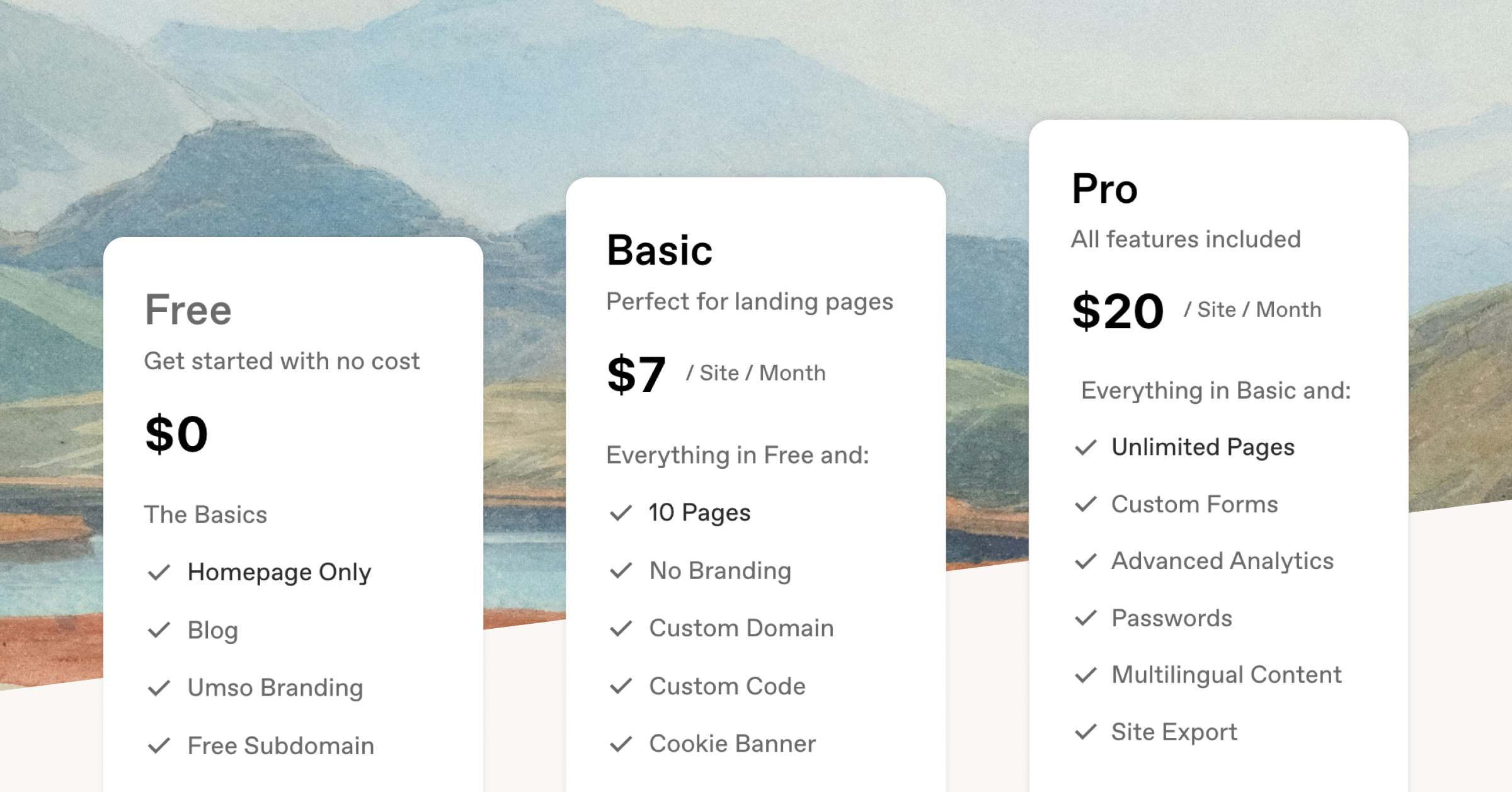
Our Free and Basic plans used to only allow for a single page (the homepage) to be published while the Pro plan allows for unlimited pages. We have now increased the page limit for the Basic plan to 10 pages.
That means you can share more about your story, your team, your services, host your privacy policy, and so much more, without having to upgrade to the Pro plan. With our new Selective Publishing feature you can choose which pages to publish on any plan.
We hope that this makes our Basic plan which costs $7 per month when billed annually and includes 10 pages, basic analytics, forms, cookie banner, custom code and custom domains more competitive.
Exporting Form Responses with Files
If you have custom forms which allow for while uploads, you’ll love this feature. You can now download your form responses together with all files in one handy zip file instead of having to download file uploads individually. Simply click “Export Responses” in your form.
Select Which Pages to Publish
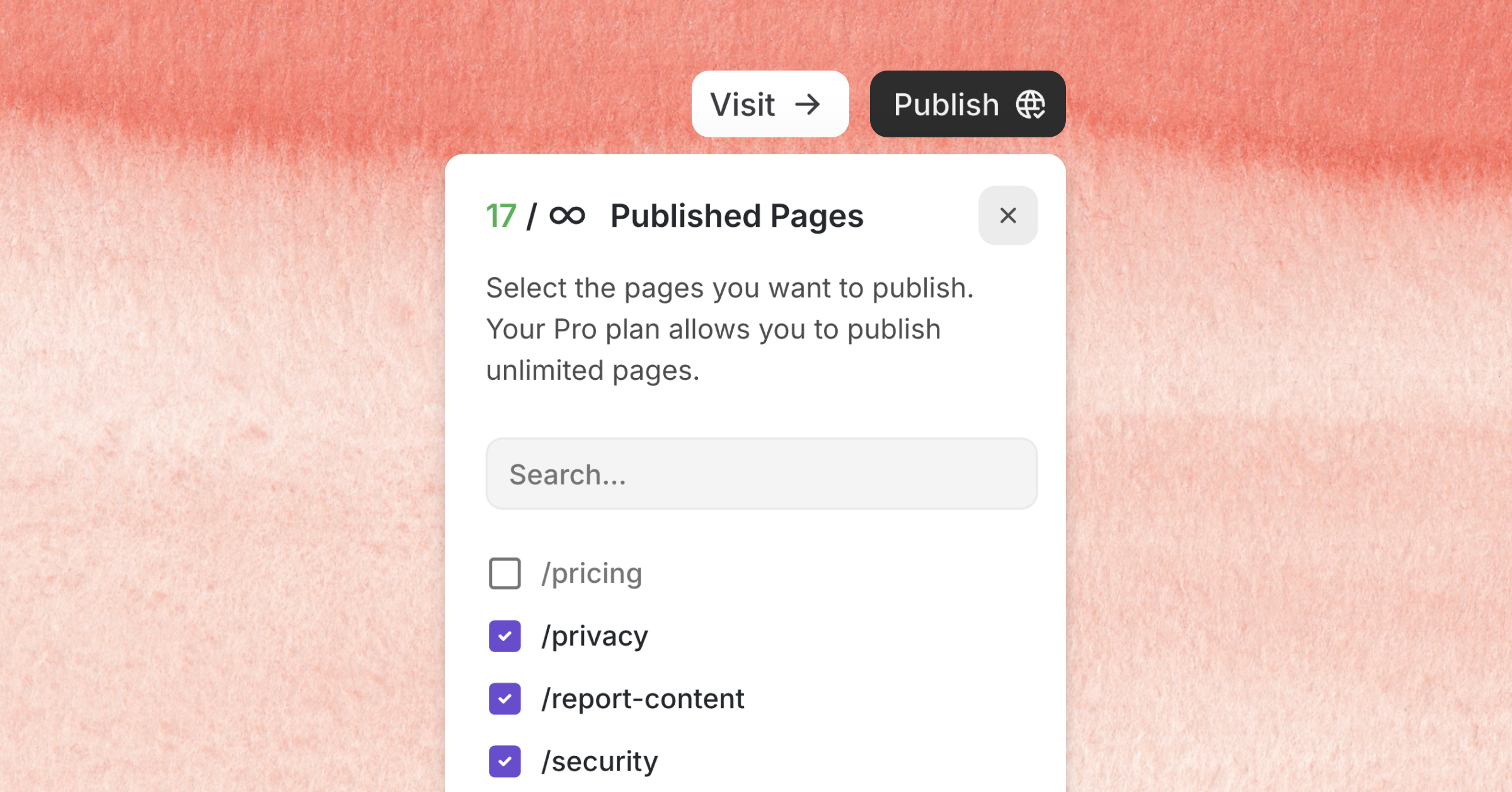
You can now select which pages you want to publish! This way you can prepare pages privately while still publishing your site regularly.
Copy Blog Posts Between Blogs
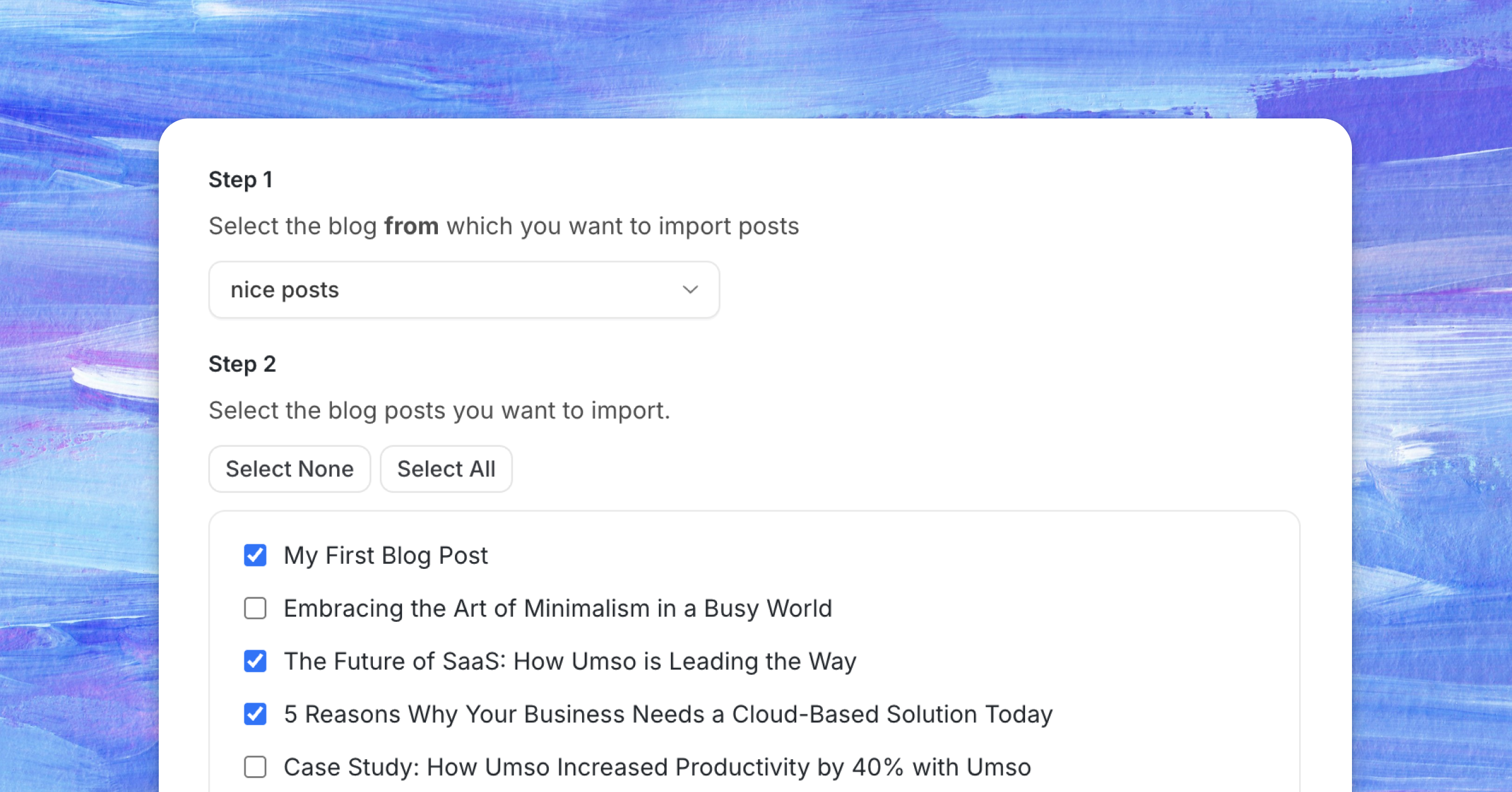
You now have the option to copy all or some blog posts from one blog to another. This is a great tool for when you redesign or migrate your websites or if you want to consolidate your blogs.
Improved Blog Setup
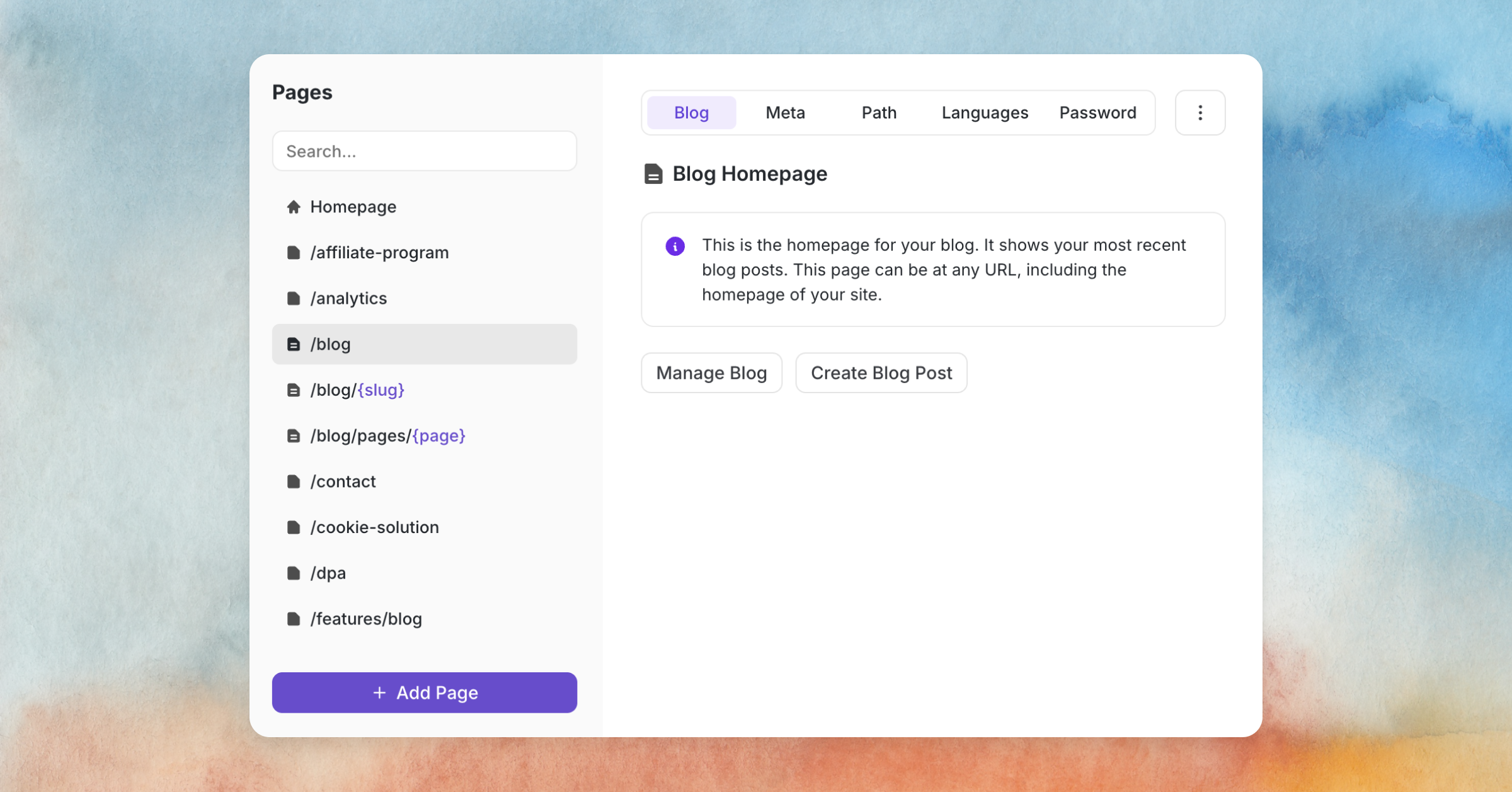
Setting up a blog and managing blog pages was confusing and didn’t include enough safeguards. We’ve greatly improved the blog setup process so that all required pages are no created for you automatically and linked to your blog.
We’ve also scanned all existing sites for broken blog setups and manually fixed all of them.